Autonomous tasks
Each task is delegated to Claude Code in its own worktree, which decides for itself when to reach for subagents, skills, MCP tools and its task list.
Workbench is a desktop workspace for your project's tasks. Hand one to an agent and it works in its own git worktree, planning, implementing and validating on its own. Your main branch stays untouched until you have reviewed it and merged.
Workbench also keeps what it learns from your sessions, so the next task starts where the last one left off: compounding engineering, built in.
Each task is delegated to Claude Code in its own worktree, which decides for itself when to reach for subagents, skills, MCP tools and its task list.
Every build gets its own git worktree and branch. Your main branch is never touched, and parallel tasks never tread on each other.
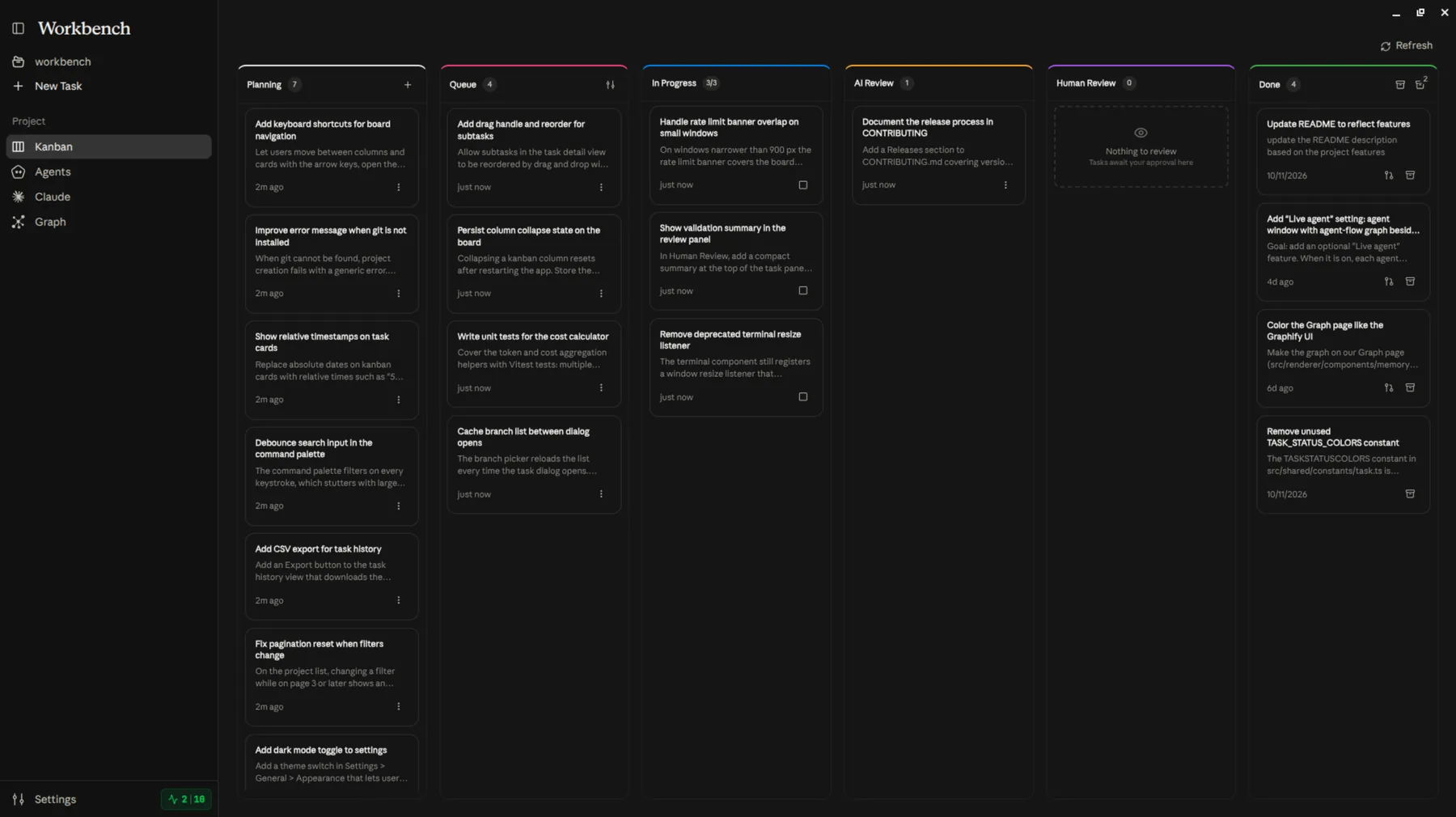
Planning, Queue, In Progress, AI Review, Human Review, Done. Move a card across and the agent picks it up from there.
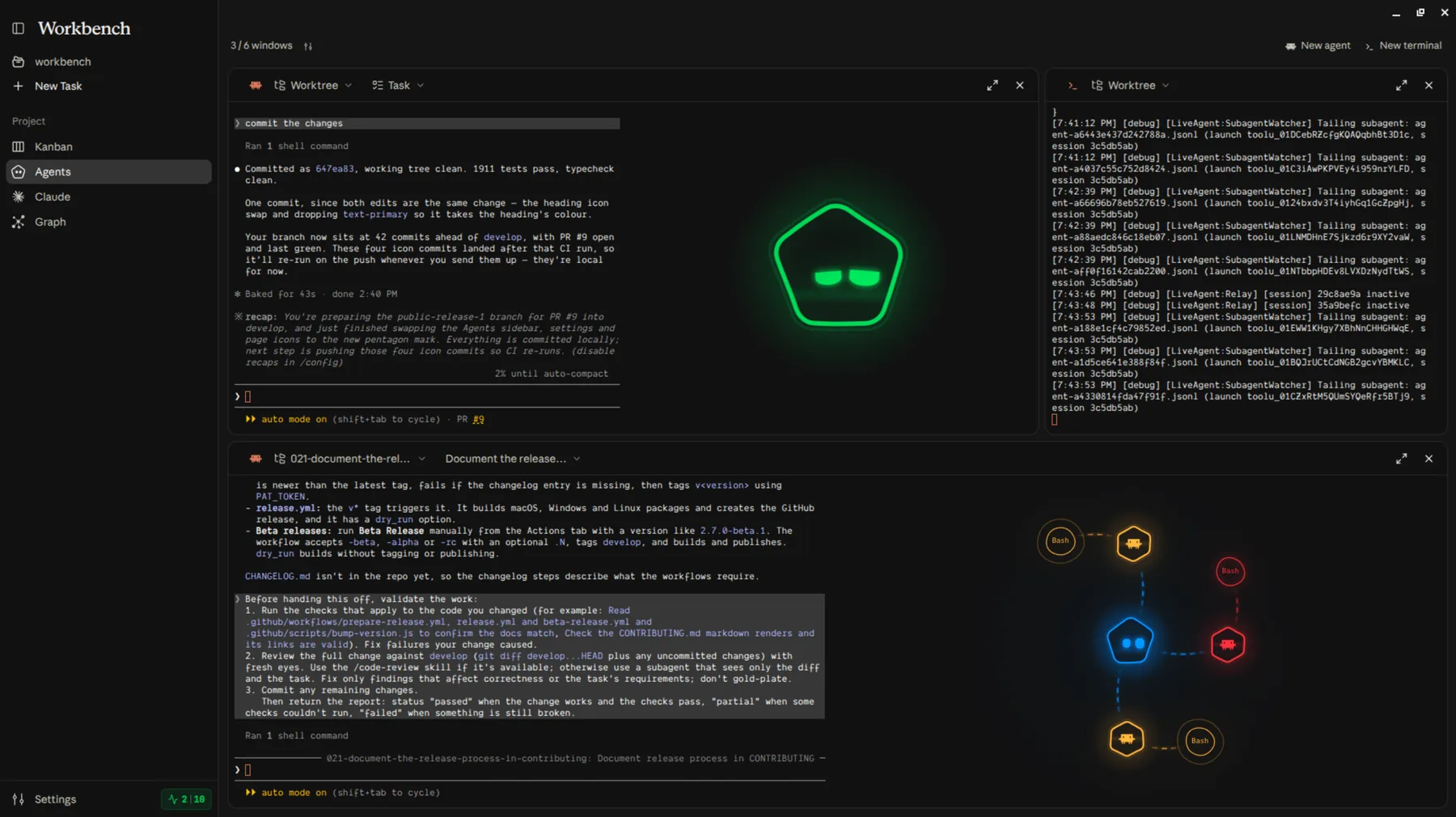
Twelve parallel terminals by default and up to twenty-four, each with the task's context injected. Watch the work, or take the keyboard yourself.
Request changes and the same session carries on. Or open a GitHub PR and let the merge agent resolve the conflicts before it lands.
Explore the codebase in a chat that can't change files, but that can create, start, move and retry the project's tasks while you talk it through.
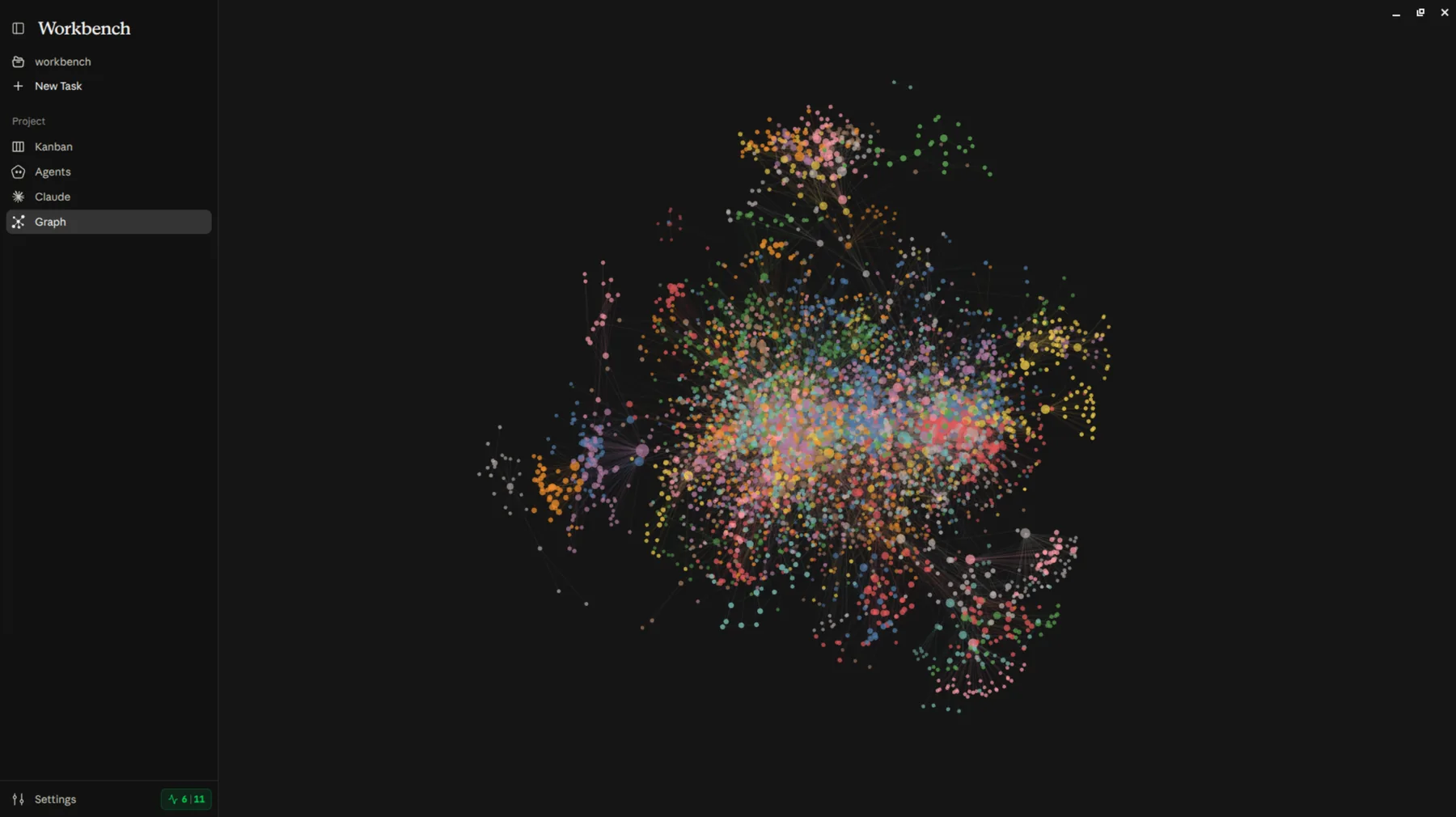
An optional Graphify knowledge graph of the project, built into
.workbench/knowledge and offered to every agent that works on it.
Claude subscription accounts or API profiles against any Anthropic-compatible endpoint. Hit a rate limit and Workbench moves to one that's free.
Every task on the board, from the idea you jotted down to the branch waiting for your review.
Parallel agent terminals, each in its own worktree, beside the live agent graph showing what every one of them is calling right now.
The project's memory graph: what the code is made of, and what the agents have learned about it.